Compatibility Library

Sydney airport arrival guide: how to get connected (and settled) fast

November 29, 2025
7 min read
700+ views
Tom H
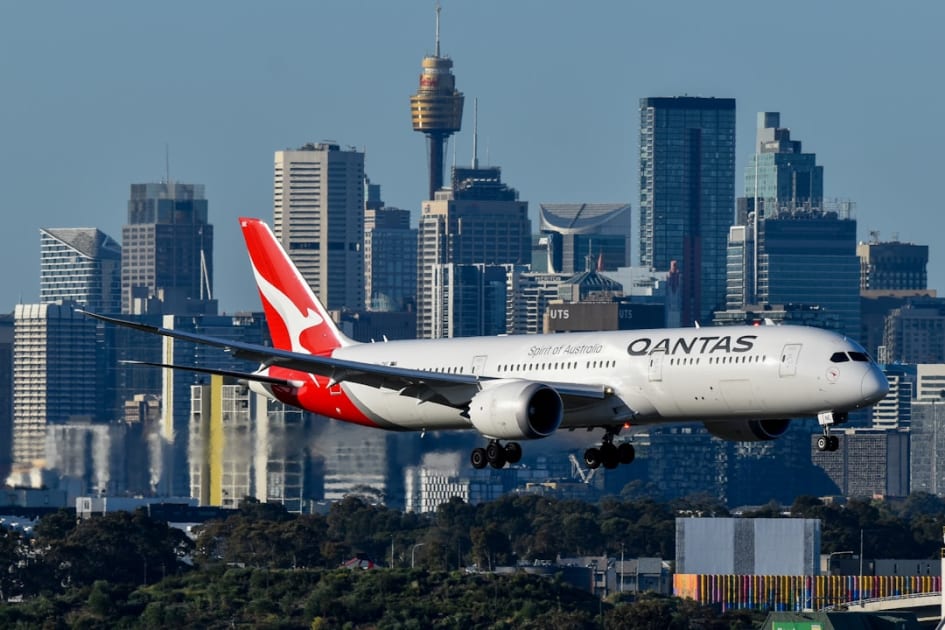
A large passenger jet flying over a city

Share this article

Help others discover this content

Sydney airport arrival guide: how to get connected (and settled) fast

Real-world tips for a smooth touchdown in Australia’s busiest city

You’ve just landed at Sydney Kingsford Smith. Bleary-eyed but excited, you shuffle down the air bridge, phone in hand—already fielding messages from home. It’s bright, with that distinct Australian light that makes even the terminal feel a little sharper. But just as you try to message your airport pick-up, your phone blinks: “No service.”

If you’ve travelled long-haul before, you know the frustration. Between patchy airport Wi-Fi and the horror of international roaming charges—I've been stung for more than £35 just updating my itinerary once—you’re left scanning for solutions before you’ve even cleared customs. The good news? Getting set up in Sydney doesn’t have to be a headache. A little prep goes a long way, and there are smarter, modern options than queuing up at a kiosk or fumbling with paper SIMs.

📊

Quick Facts

  • Avoid airport SIM queues: activate an eSIM before you land
  • Sydney airport Wi-Fi is reliable but capped at 3 hours per session
  • Data plans from £6/$8/€7 let you hit the ground running
  • Graba SIM offers instant activation, real-time usage tracking, and 24/7 live chat
  • eSIMs work on most recent iPhones, Pixels, and select Samsung models

Why Sydney connectivity is a different beast

If you’ve landed in Sydney before, you’ll know the airport’s three terminals are sprawling, and public Wi-Fi only gets you so far. The free airport Wi-Fi is stable, but don’t expect to upload large videos or keep a group call going—bandwidth dips sharply around baggage claim, and you’ll be nudged off after three hours. Most locals rely on high-speed 4G or 5G for good reason. There’s another wrinkle: unlike airports in Tokyo or Singapore, Sydney’s arrivals hall gets packed between 6am and 11am, especially during Northern Hemisphere autumn breaks and around Thanksgiving. Network congestion can spike, particularly when several flights land in quick succession. During my last trip in October, I found my UK SIM’s roaming painfully slow—barely enough for Google Maps, let alone WhatsApp. Airport SIM kiosks often have queues, and staff sometimes push expensive, ultra-short validity options (I saw $60 AUD plans for just 5 days—yikes). Most frequent visitors opt to have their data sorted before landing. That’s where a digital SIM comes into its own.

💡

Why This Matters

Sydney’s airport is a gateway for both business and leisure travellers, and autumn’s city breaks plus Black Friday shoppers mean the terminals get especially busy. Staying connected helps you navigate, meet up with friends, and make quick plans—often before you even exit arrivals.

Why an eSIM is the savvy option for Sydney arrivals

Physical SIM cards aren’t extinct yet, but the days of chasing down a shop after a 23-hour flight are numbered. With eSIMs—virtual, embedded SIM cards—you preload your data plan onto your device, so you can get online the moment you turn off flight mode. No fiddling with tiny trays or paperclips at the luggage carousel. From experience, I’ve found eSIMs particularly useful in Sydney for a few reasons:

  • Instant activation: Plans from providers like Graba SIM activate within 30 seconds of scanning the QR code, which means I’m online before I’ve even left my seat (yes, even on my slightly battered iPhone 14).
  • Real-time data tracking: The Data Pulse feature on the Graba SIM app gives live updates right on your home or lock screen—no more nasty end-of-trip surprises.
  • Support when you need it: Middle of the night? Jet-lagged? Graba SIM’s 24/7 chat support is genuinely responsive (I tested it at 4am Sydney time—sorted in under five minutes).
  • No contracts or hidden fees: Plans start from £6/$8/€7 for 3GB—enough for a week of maps and messages. If you’re planning to hop from Sydney to Melbourne or up the coast, regional Australia-NZ plans offer great value, too.
  • A subtle bonus: with an eSIM, you keep your home SIM active for texts or two-factor codes—a must if you’re juggling bookings, banking apps, or last-minute Black Friday deals popping up in your inbox.

    Graba SIM at a glance

    • Data Pulse: real-time usage monitoring
    • Home/lock screen widgets
    • Instant activation—truly (tested on iPhone, Pixel, and Galaxy S23)
    • 24/7 live chat support—no ticket system runaround
    • No local address or ID required

    How to get mobile data in Sydney – your step-by-step guide

    1.
    Check your device compatibility
    - Most iPhones from XR/XS onward, Google Pixels from 3a, and newer Samsungs support eSIMs. Not sure? Use the compatibility checker.
    2.
    Pick a plan tailored for Australia
    - Browse Australia eSIM plans or, for multi-country trips, regional options. Budget-conscious? You’ll find short and long-stay choices.
    3.
    Purchase and receive your QR code
    - After checkout, Graba SIM sends a unique QR straight to your email (I’ve never waited more than 90 seconds—even during peak travel periods).
    4.
    Install your eSIM pre-departure, if possible
    - Install via phone settings—takes less than a minute. If you’re already in the air, you can still scan and activate upon landing (Sydney’s Wi-Fi is solid in the arrivals area).
    5.
    Set your eSIM as primary for data
    - Go to your phone’s settings (“Mobile Data” or “Cellular”) and toggle data to your new plan. You’ll typically see 4G/5G coverage right away.
    6.
    Monitor your usage
    - Use Data Pulse or lock screen widgets to keep tabs on your remaining allowance. Top up or adjust if you’re using more than planned.

    Get Connected

    Choose your data plan before you travel or while waiting for your bags—instant access, transparent pricing.

    Browse Plans

    Local know-how: tips for your first hour in Sydney

    Local Tips

    Connect to free airport Wi-Fi for initial setup, but don’t rely on it for streaming or large downloads
    Avoid airport SIM kiosks during peak hours—lines build fast after 8am
    Use T2’s Vodafone shop for physical SIMs, but expect prices to be higher than in the city
    Rideshare pick-up zones are outdoors—data helps avoid confusion if drivers relocate due to traffic
    Mobile data is strong across the airport, but coverage can dip during thunderstorms or near Terminal 3 (Qantas domestic)
    Local eSIM plans often include both city and regional coverage, making day trips to Bondi or the Blue Mountains easier

    Comparing your Sydney connectivity choices

    Sydney airport: mobile data options compared
    OptionSetup TimeTypical Cost

    Airport SIM kiosk

    15–30 min (with queue)

    £25–£60/$30–$75/€28–€67

    Physical SIM shop in city

    1–2 hrs (travel, ID check)

    £12–£25/$15–$32/€13–€28

    eSIM (pre-purchased)

    1–2 min (instant)

    £6–£20/$8–$26/€7–€23

    Airport Wi-Fi

    Immediate (max 3hr/session)

    Free, but limited speed and time

    💡

    Why This Matters

    Choosing the right solution can save you time, money, and a lot of frustration—especially after a long-haul flight or if you’re travelling with family.

    Black Friday bargain hunter

    You’re touching down for a quick shopping weekend. With an eSIM, you’re online straight away to scout out deals—no need to wait in line at a counter.

    Multi-city explorer

    Sydney’s just your first stop. An Australia-NZ eSIM means you’re covered from Bondi to Queenstown, all with a single QR code.

    Visiting family for Thanksgiving

    Jet-lagged and juggling kids? You activate your plan in the arrivals hall while they’re still watching cartoons.

    Frequently Asked Questions

    Get Connected

    See if your device supports eSIM, and avoid airport stress.

    Check compatibility

    Final Thoughts

    There’s a certain satisfaction in stepping off a long flight, switching your phone off aeroplane mode, and seeing those bars flash to life—no panic, no airport chaos. Sydney is a city that rewards the curious, the prepared, and the tech-savvy. Take it from someone who’s missed a rideshare thanks to flaky Wi-Fi: sort your connectivity before you land, and your first Aussie coffee will taste all the sweeter.

    🚀 Get Started Today

    Ready to Get Connected?

    Explore our eSIM plans and stay connected in 150+ countries with instant activation and competitive rates